Manual modules
Where it is
Account menu › Manage Subscription. To add ingredients, also "Upgrade my POSYMA" at the bottom of the side menu.
Open in your POSYMA
When you see it
Only the account owner sees it.
Guide 1 of 3How to see your POSYMA and your usage
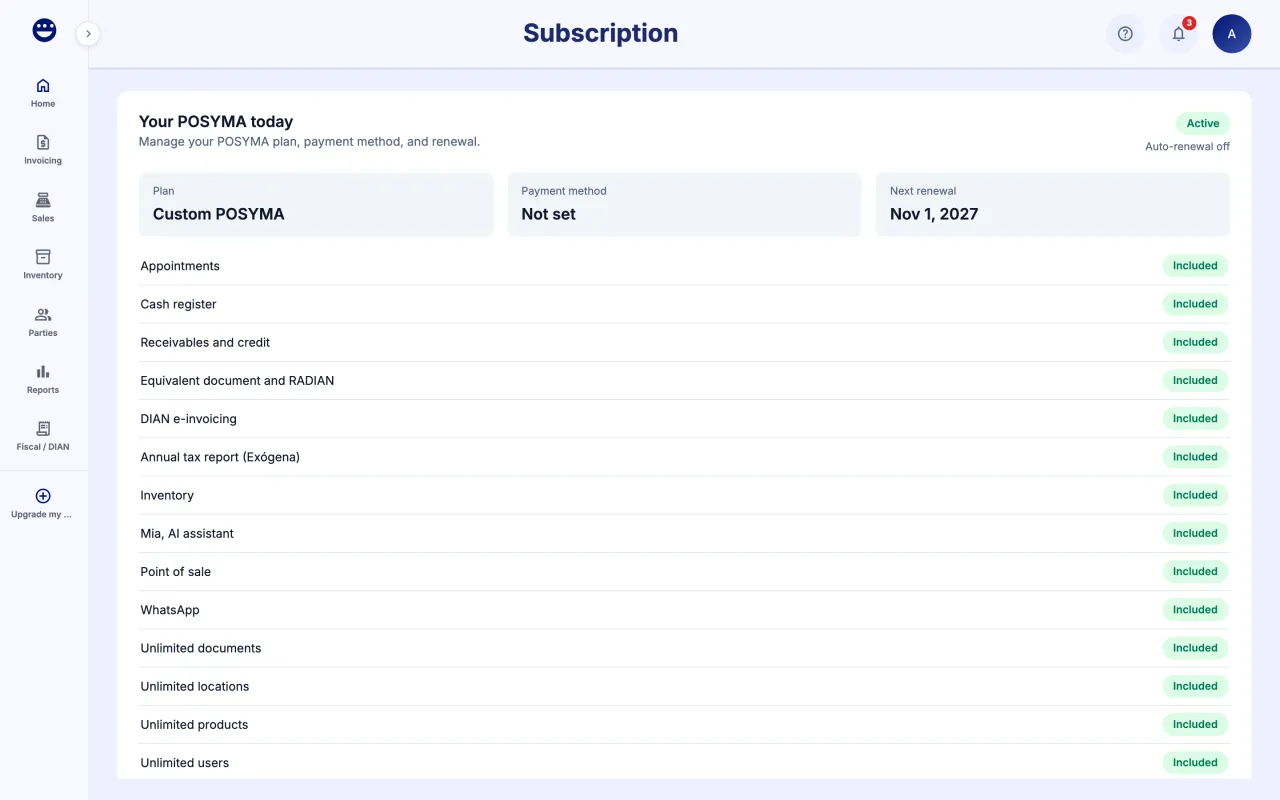
- Open the account menu and click "Manage Subscription".
- Under "Your POSYMA today" you see each ingredient with its price, the total and the renewal date.
- Under "Usage this month" you see how much of each limit you have used, for example electronic documents or products.
- If you removed something, it shows under "Pending changes" with the date it takes effect.
Guide 2 of 3How to add or remove ingredients
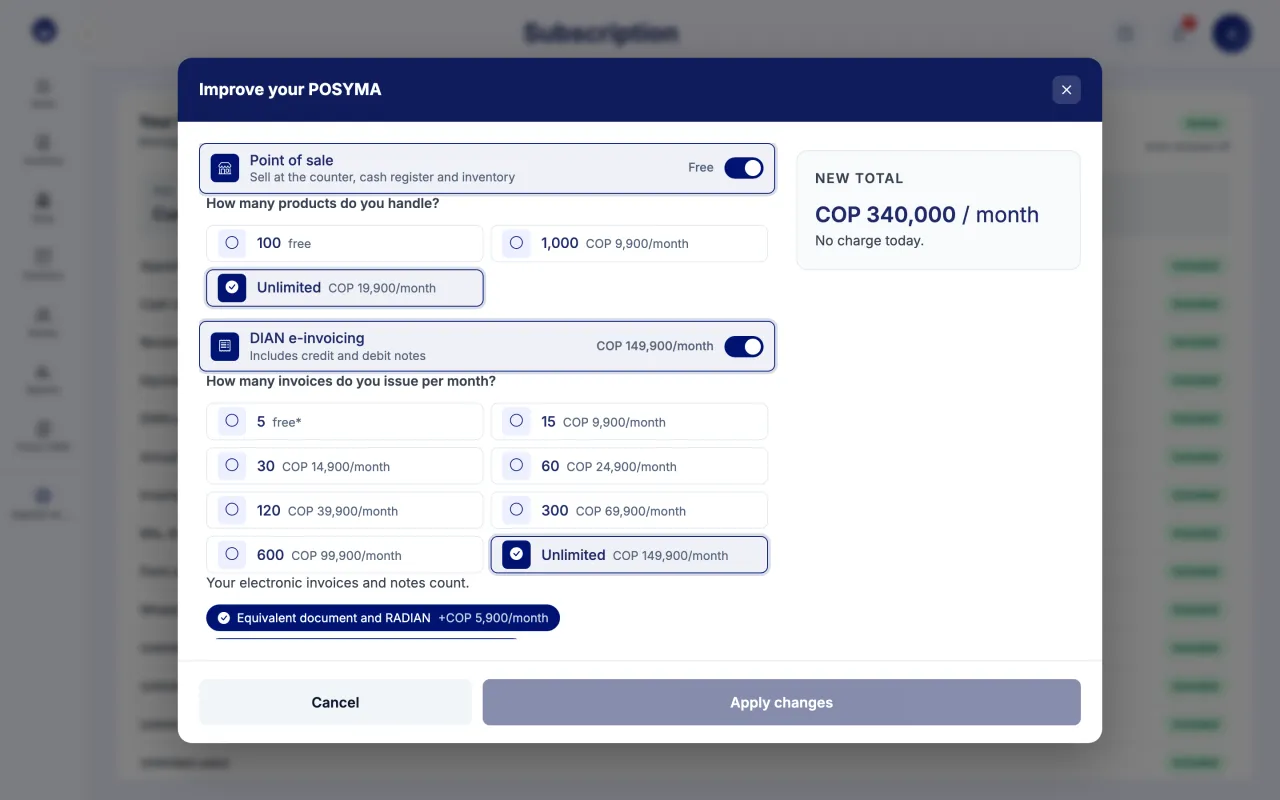
- Click "Change ingredients" (or "Upgrade my POSYMA" in the side menu).
- Turn modules on or off and answer the questions: how many products you handle, how many invoices you issue per month, how many people and how many locations.
- Pick the "Reports" and "Support" levels.
- Check the "New total". Below it you see "You pay ... today" with the prorated amount for what you add, or "No charge today." when the change has no charge. Click "Apply changes".
- In "Confirm changes" check what you add and what you remove, and click "Confirm".
What you add turns on today, prorated until your next billing date. What you remove applies from your next billing date. With PSE or Nequi we take you to Wompi and the new ingredients turn on when the payment is approved.
Guide 3 of 3How to pay, change the payment method or cancel
- Under "Manage subscription", click "Pay now" if a payment is due.
- To change how you pay, click "Change payment method", choose credit card, PSE or Nequi, and save.
- If you would rather pay each renewal by hand, use "Disable auto-renewal".
- To end your subscription, use "Cancel subscription". Your workspace stays active until the period ends.
Payments are processed securely with Wompi.
Frequently asked questions
What does the free POSYMA include?
Point of sale, cash register and inventory for small stores, with 2 people and 1 location. If you handle more products or need more modules, add them whenever you want.
When am I charged for what I add?
Today, for the days left until your next billing date. From that date on you pay the full new total.
Why can I not see this screen?
Only the account owner manages the subscription. Ask that person.