Manual modules
When you see it
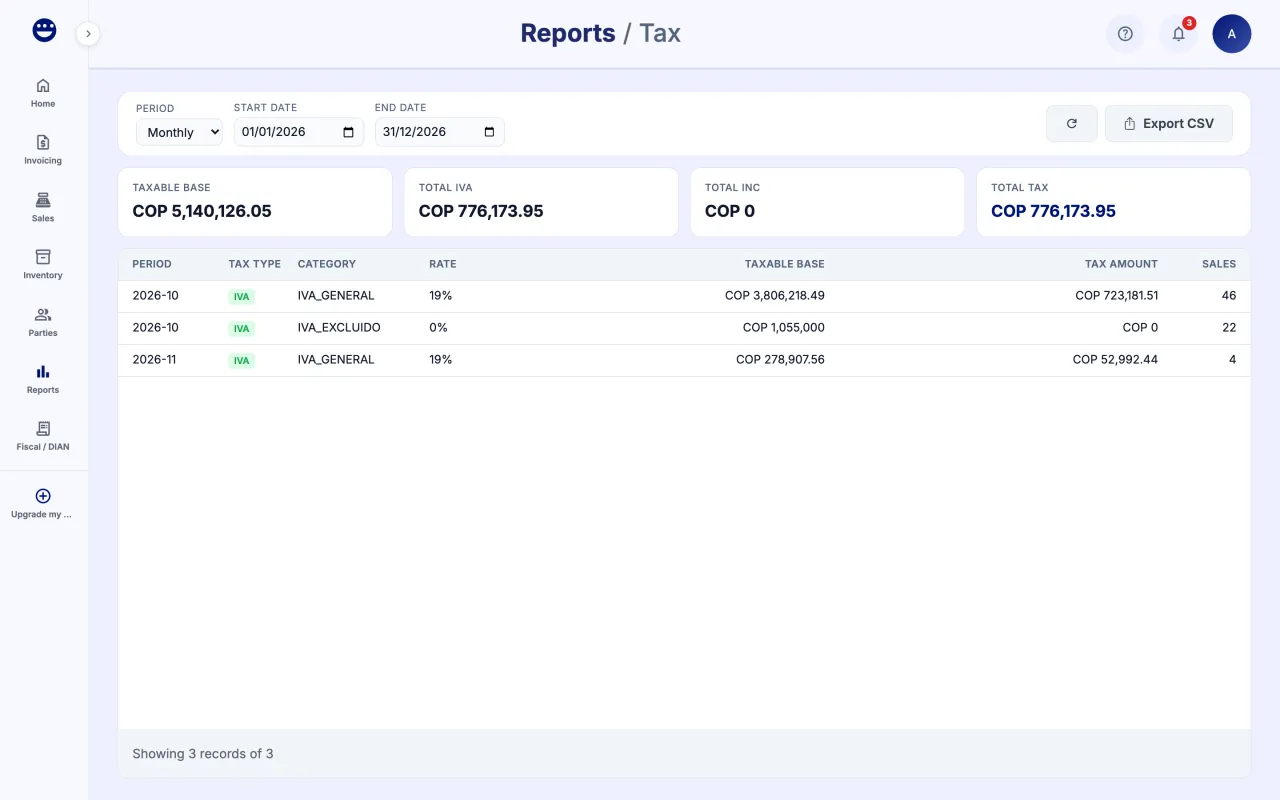
Sales and Employees come with the basic reports. Financial shows up if you upgrade reports to the Avanzados level, and Tax at the Fiscales level, under "Reports and support" in your subscription.
Guide 1 of 4How to see the sales report
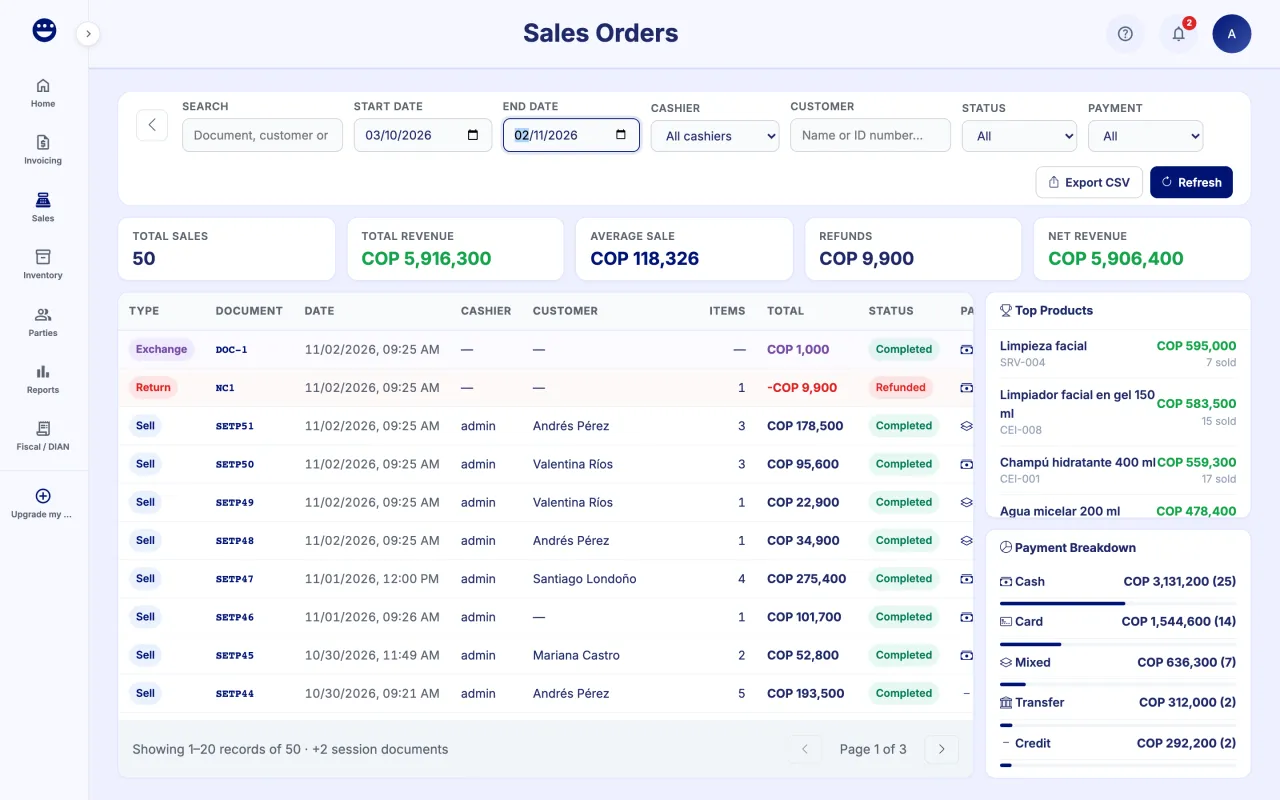
- Open Reports > Sales.
- Pick the date range and the filters you need.
- Check the totals, top products and payment breakdown in the side panel.
- Click "Export CSV" to take the data with you.
It is the same screen as Sales > Transactions, so you can also open each sale's detail.
Guide 2 of 4How to see your margins per product
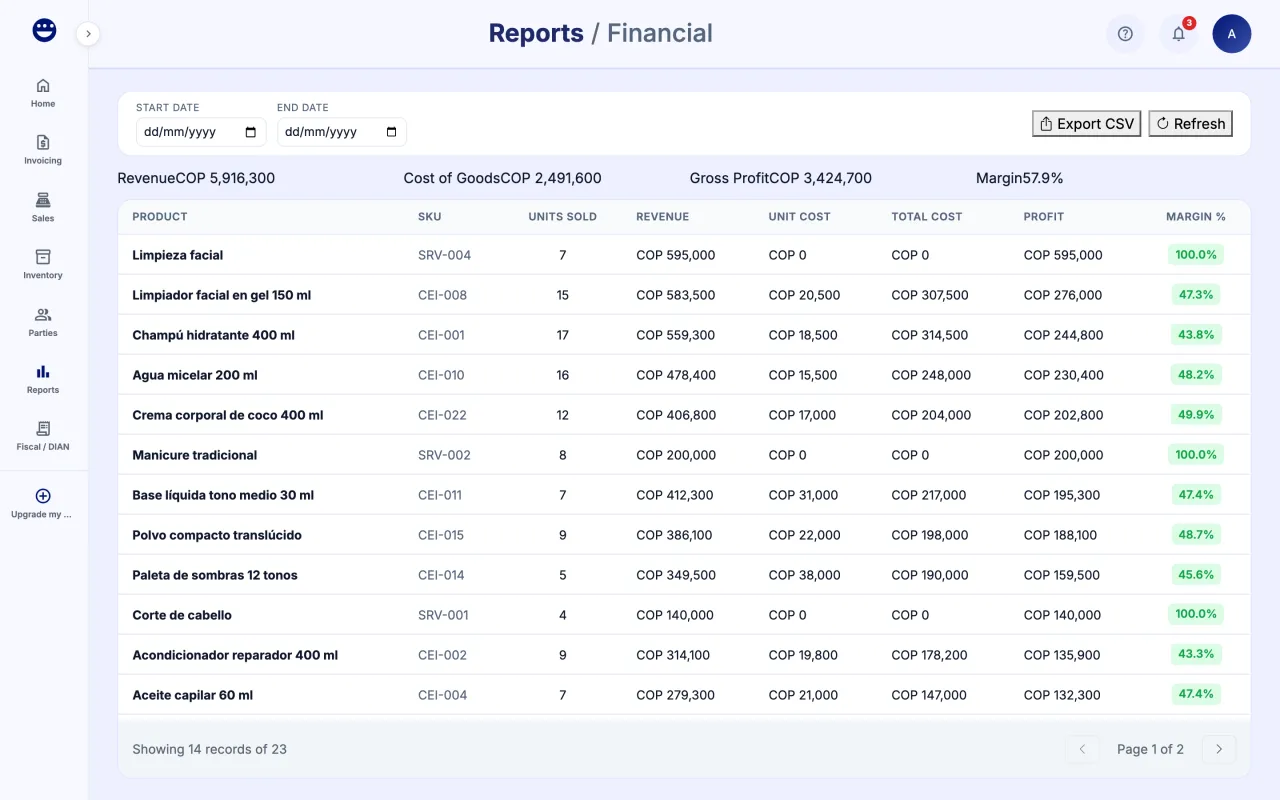
- Open Reports > Financial.
- Pick a "Start Date" and "End Date" and click "Refresh".
- At the top you see Revenue, Cost of Goods, Gross Profit and Margin.
- The table shows units sold, revenue, cost, profit and "Margin %" per product.
Margin depends on your products' cost. If you did not enter a "Purchase Cost", profit comes out inflated.
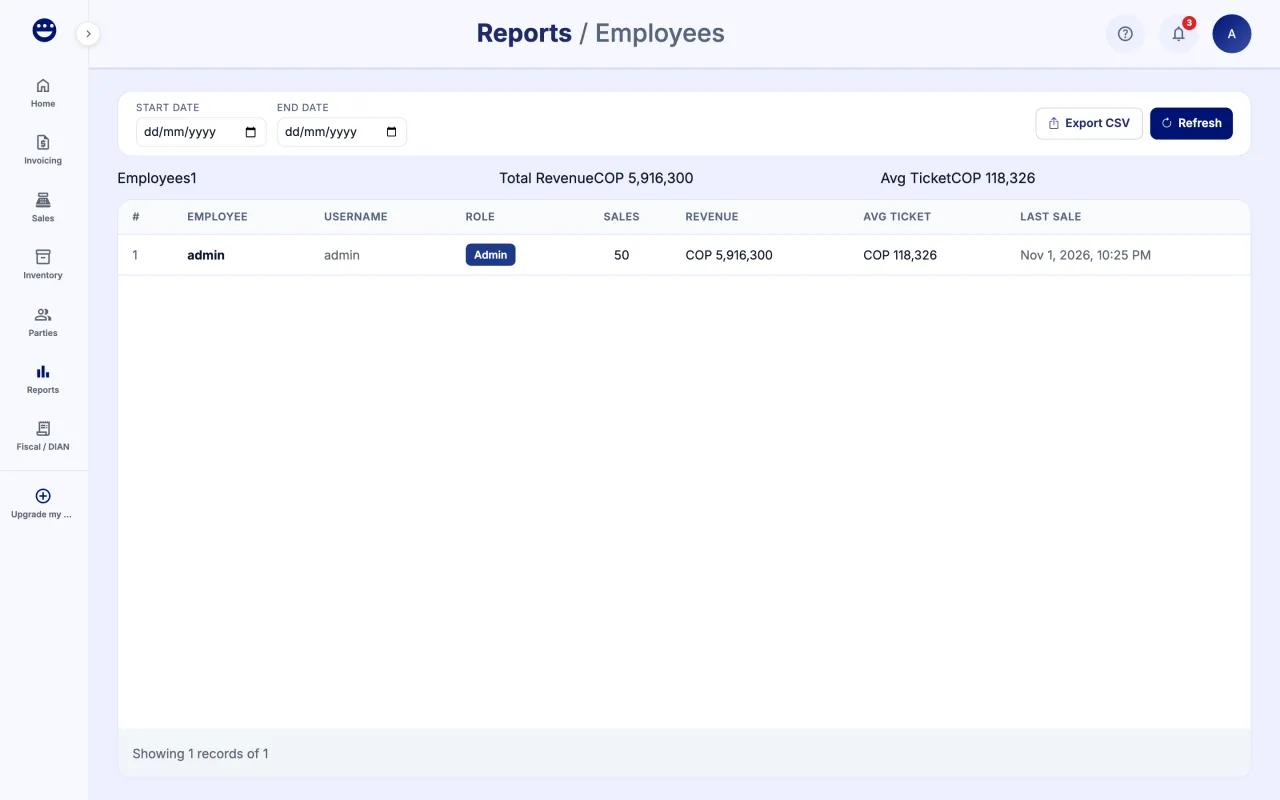
Guide 3 of 4How to see sales per employee
Frequently asked questions
Do credit sales show in the reports?
Yes. A credit sale is a sale and counts toward total sales and the number of sales.
I do not see Financial or Tax
Those reports depend on your POSYMA's Reports level. The owner can upgrade it from "Upgrade my POSYMA".