Manual modules
Where it is
Side menu › Sales › Transactions. Also from the point of sale with "History" and from Reports › Sales.
Open in your POSYMA
When you see it
Shows up if your POSYMA includes point of sale.
Guide 1 of 3How to find a sale
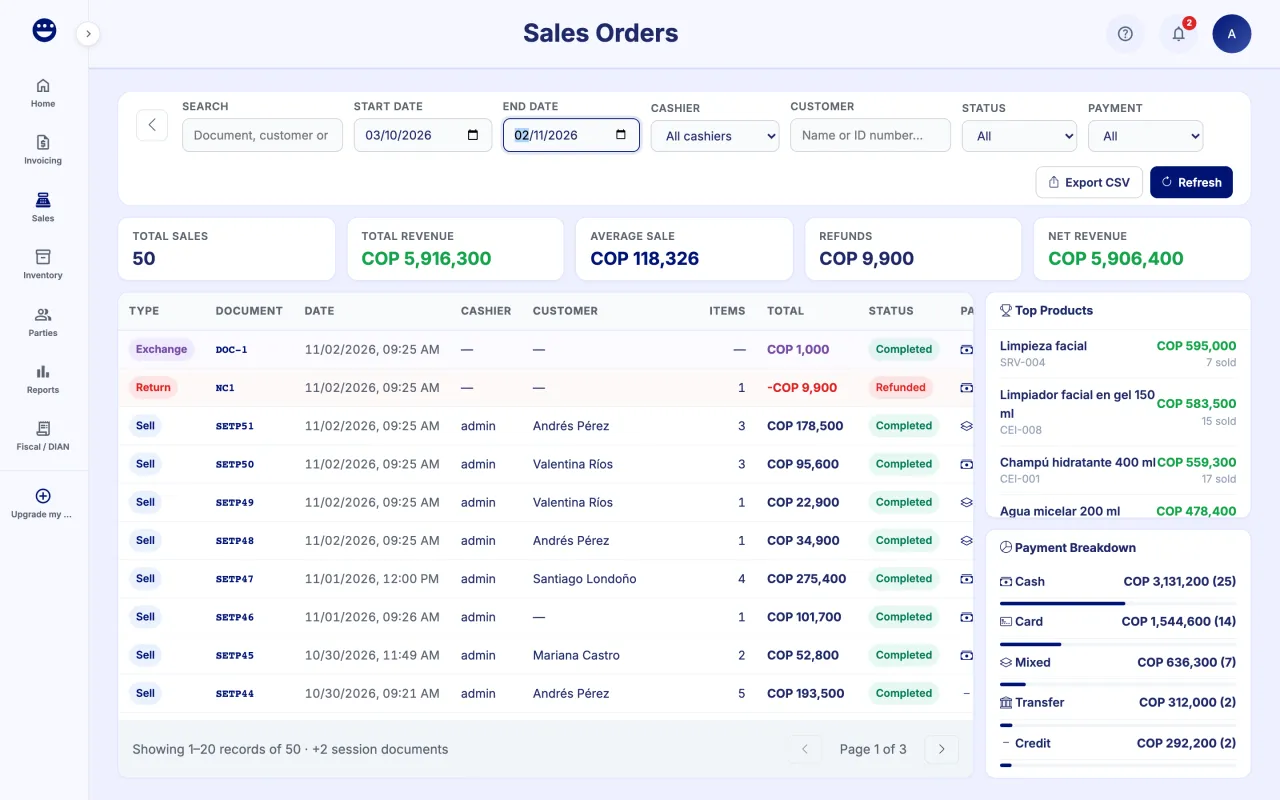
- Open Sales > Transactions.
- Pick a "Start Date" and an "End Date".
- If you want, filter by "Status", "Payment", "Cashier" or "Customer".
- Type in "Search" the document number, the customer or a product.
- Click "Refresh" to load the latest data.
Guide 2 of 3How to view the detail and print a sale
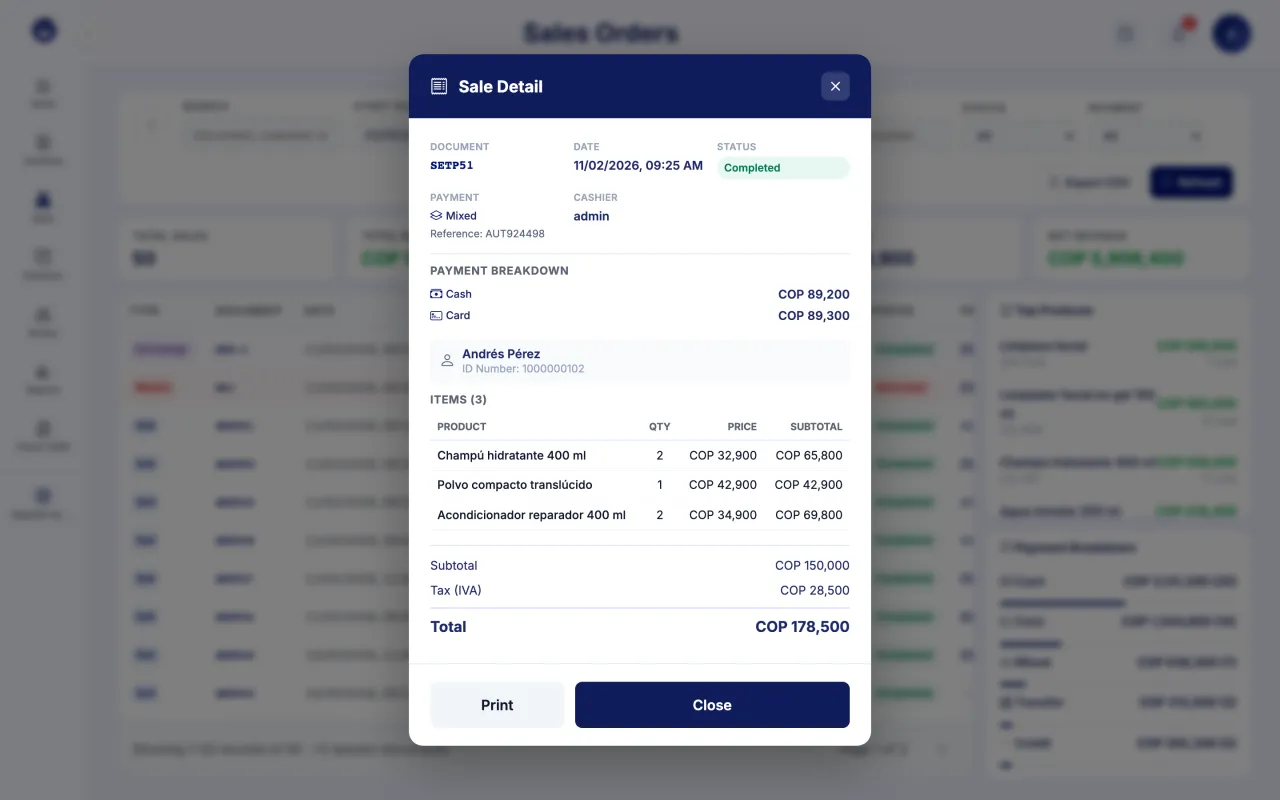
- Click the sale in the list.
- In "Sale Detail" you see the invoice, customer, cashier, payment breakdown and products.
- Click "Print" to reprint the document.
- If the row is a return, "Credit Note Detail" opens with the original invoice, the reason and the refund method.
Guide 3 of 3How to export your sales
- Apply the filters you need.
- Click "Export CSV".
- Open the file with Excel or Google Sheets.
The side panel shows Total Sales, Total Revenue, Average Sale, Refunds, Net Revenue, Top Products and the Payment Breakdown for the filtered period.
Frequently asked questions
How do I see only my shift's sales?
From the point of sale, click "History" in the shift bar. The history opens filtered to that session's documents.
Are the times in my time zone?
Yes. Dates and times are shown in your business's local time.