Manual modules
When you see it
Only the account owner sees it.
Guide 1 of 2How to share your link
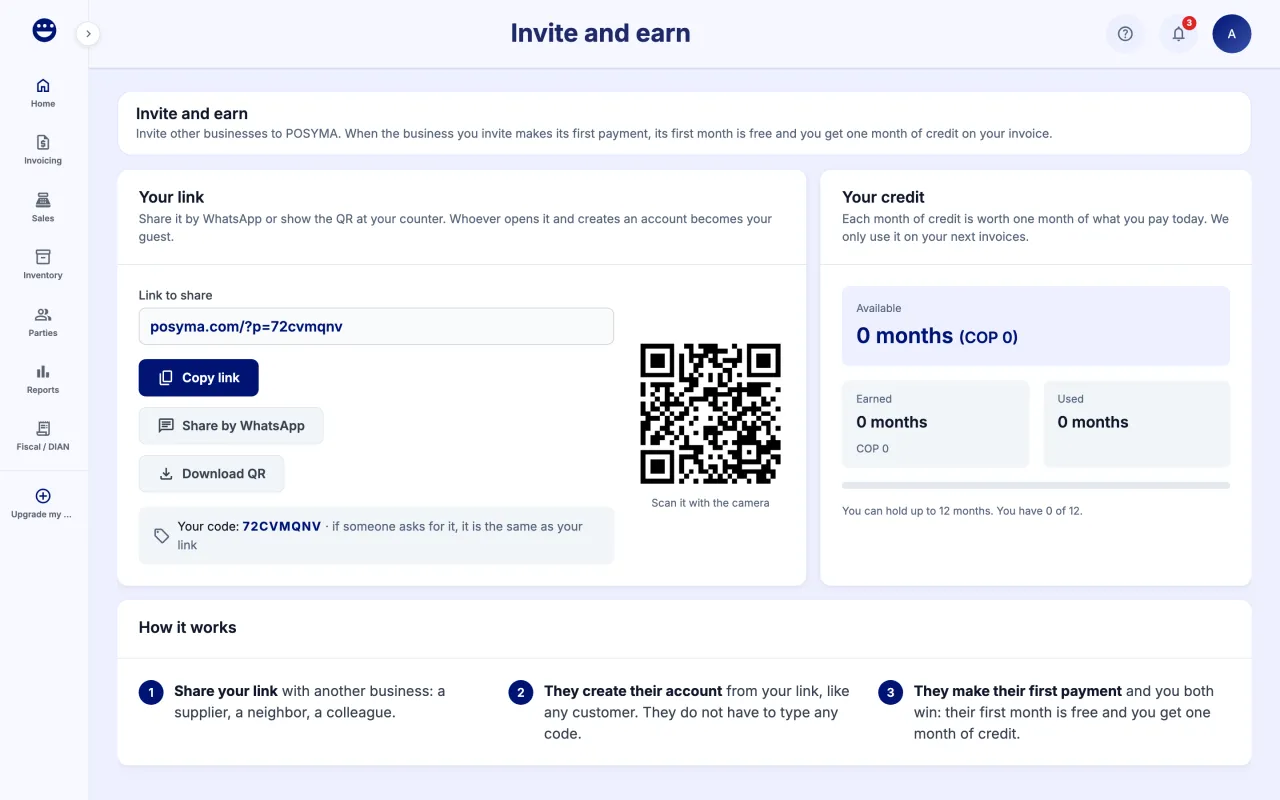
- Open the account menu and click "Invite and earn".
- Under "Your link", click "Copy link" or "Share by WhatsApp".
- For your counter, click "Download QR" and print it.
- Anyone who opens your link and creates an account becomes your guest. They do not have to type any code.
Guide 2 of 2How to track your guests and your credit
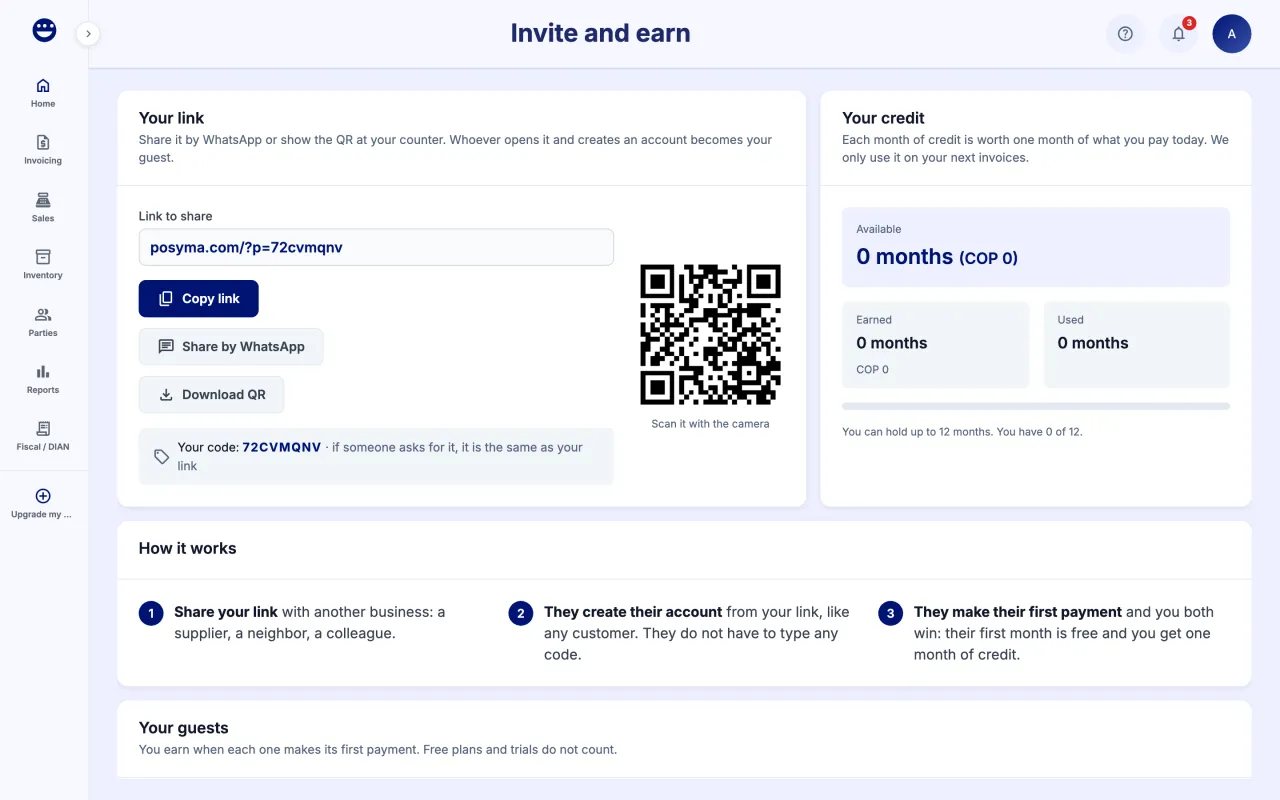
- Under "Your guests" you see each business, when it signed up and its status.
- "Waiting for its first payment" means you have not earned yet; "Paid · you earned 1 month" means the credit is yours.
- Under "Your credit" you see what is available, used and earned, and which invoices it covers.
Each month of credit is worth one month of what you pay today and is only used on your next invoices. You can hold up to 12 months. Free plans and trials do not count.
Frequently asked questions
When do I earn the month of credit?
When your guest makes its first payment. Signing up is not enough, and an account on a free plan or a trial does not count.
Where do I see the credit applied?
In Manage Subscription, your next invoice shows an "Invite and earn credit" line. If the credit covers it, you see "Covered by credit".